
The numbers are examples
The amounts on this page explain how to read a payslip. They are not a promise for any other month.
Check your payslip every month and contact Phantom when any item is unclear.
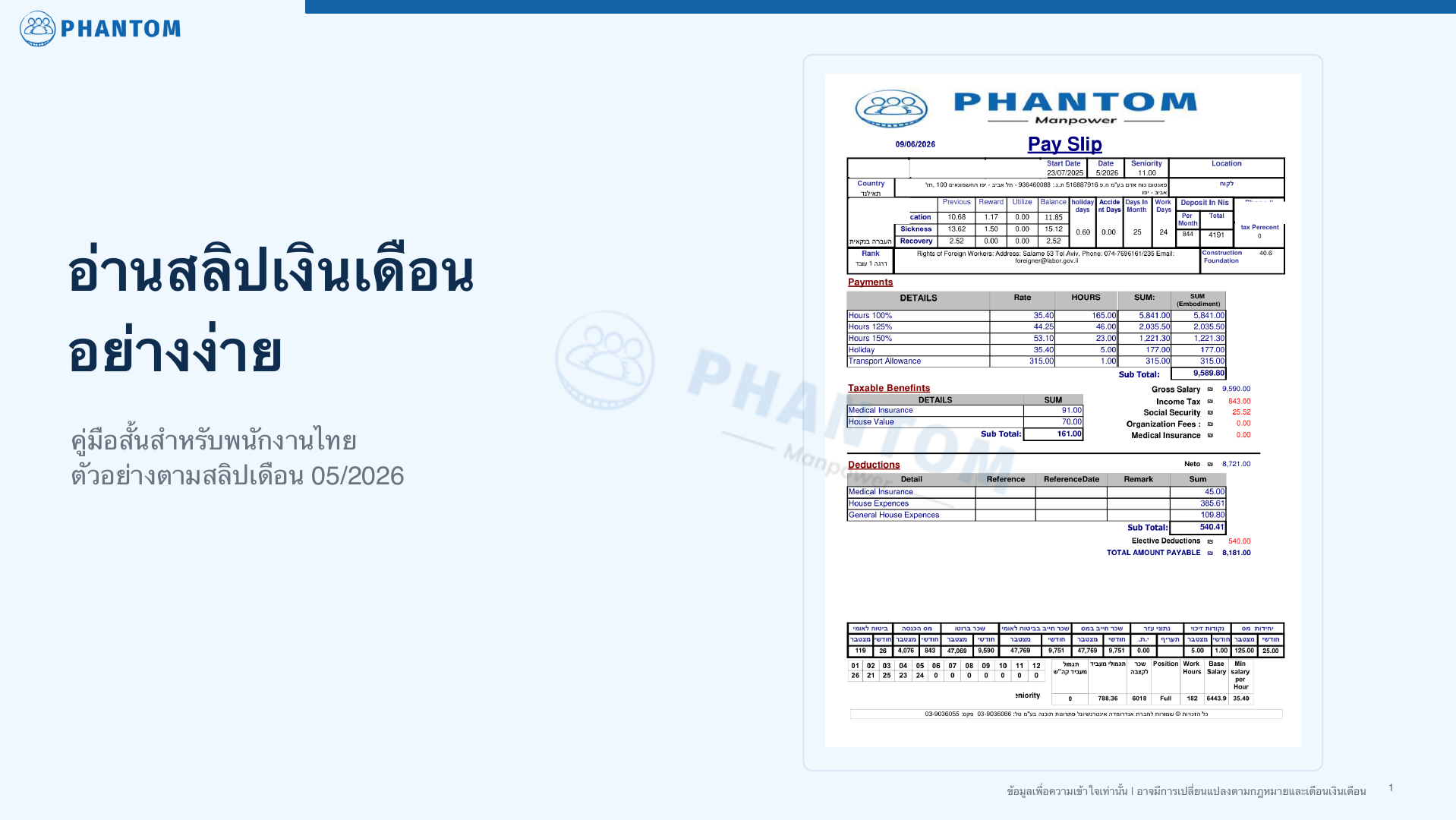
This guide uses an example payslip from 05/2026 to explain how to read your payslip. Actual amounts may change by month, law, personal details, work hours and authority instructions.
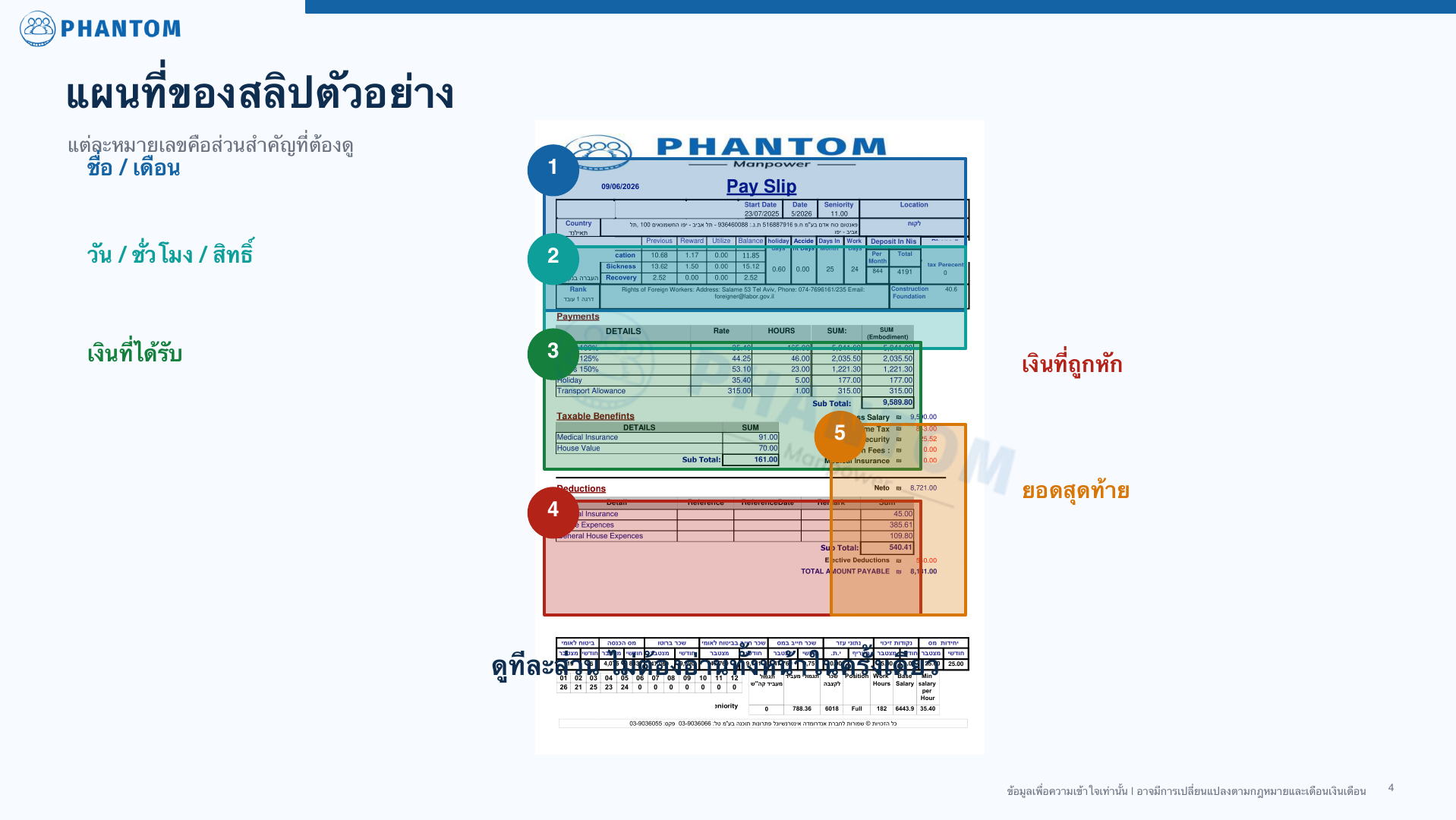
Look at the marked payslip screenshots, then read the detailed explanation below.

Read calmly. You do not need to understand every line the first time.
The amounts on this page explain how to read a payslip. They are not a promise for any other month.
Wages, tax, housing, insurance and other items may change by law, pay month and personal details.
If your real payslip differs from the example, or a line is unclear, message Phantom.
Follow these 5 simple points.
Make sure the payslip is yours and for the correct month.
Check work days, regular hours, overtime, vacation, sick leave and rights shown on the payslip.
Review Payments such as Hours 100%, Hours 125%, Hours 150%, holiday and transportation.
Review Deductions, tax, social security, medical insurance and housing.
Check the final amount to be transferred and compare it with your bank transfer.
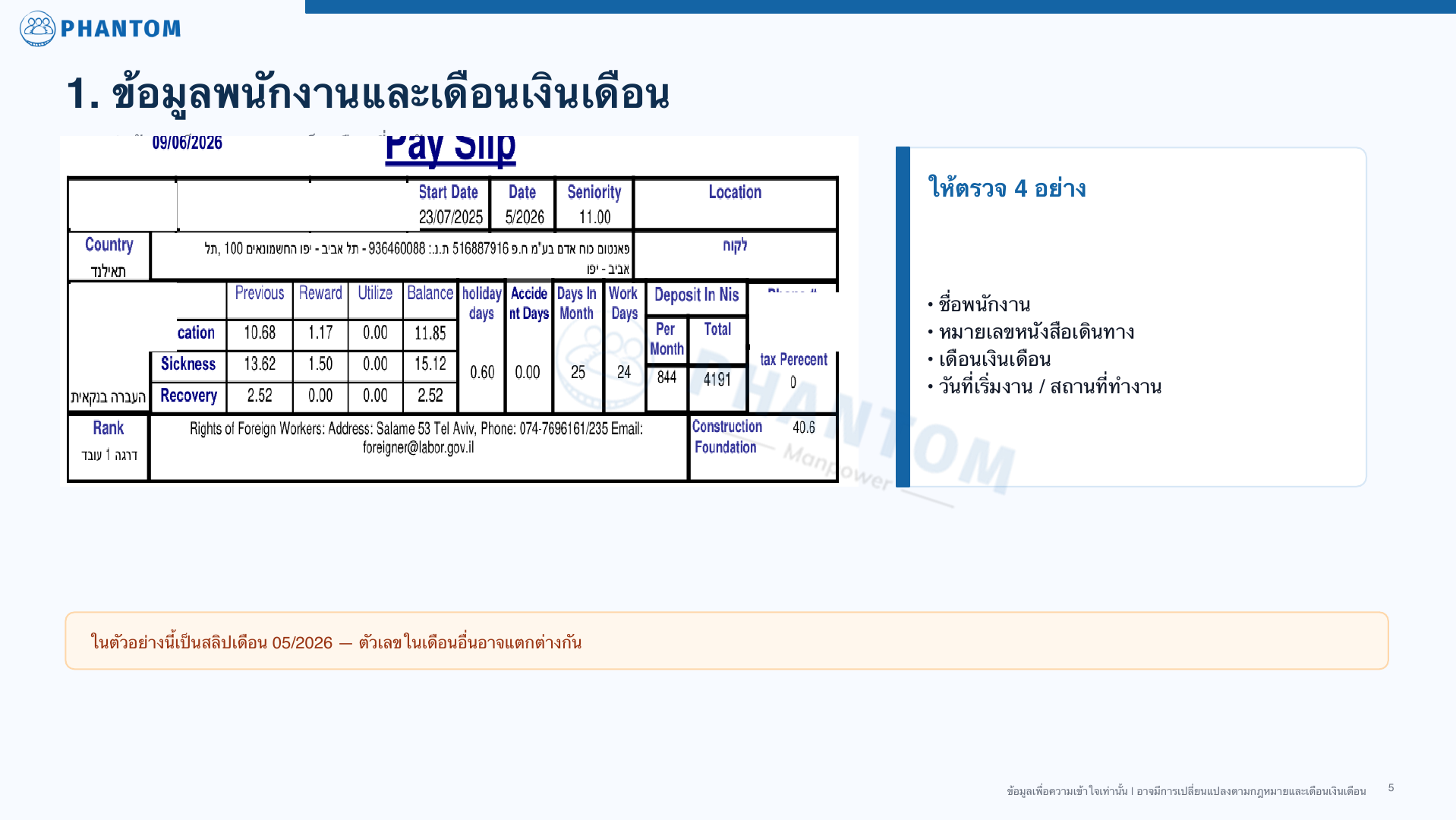
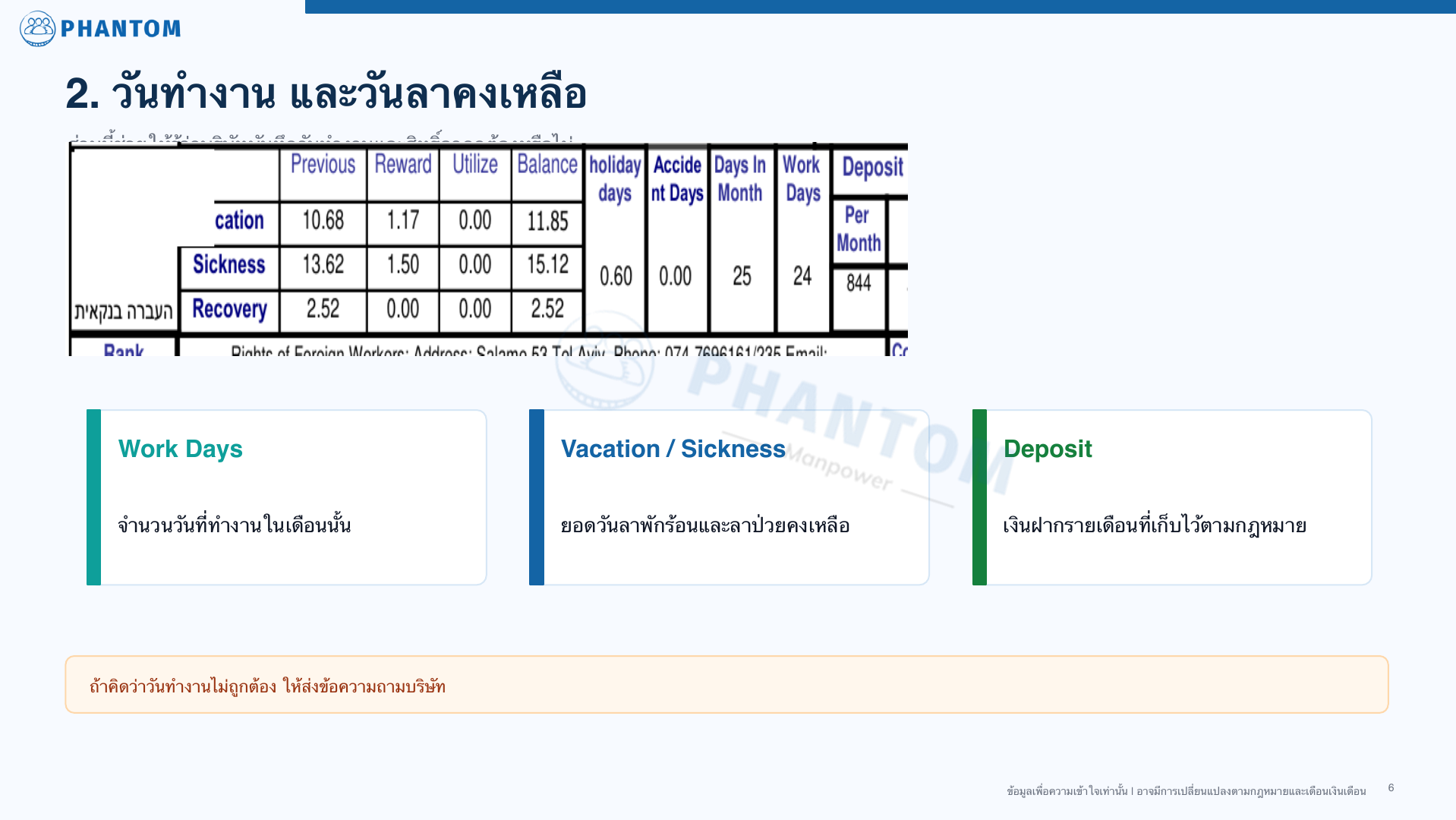
This section helps you see whether work days and rights were recorded correctly.
The number of days worked that month. Compare it with your hour record.
Vacation and sick leave balances may change according to eligibility and work data.
The monthly deposit is related to the legal deposit. It is not cash that can be withdrawn during employment.
Fill in the time report every day and make sure the site manager signs it.
Write the start time, finish time and full details every day.
Make sure the site manager signs it. An unsigned report may not be enough proof of work hours.
You do not need to message every morning that you arrived, but if the site changes, update the company immediately.
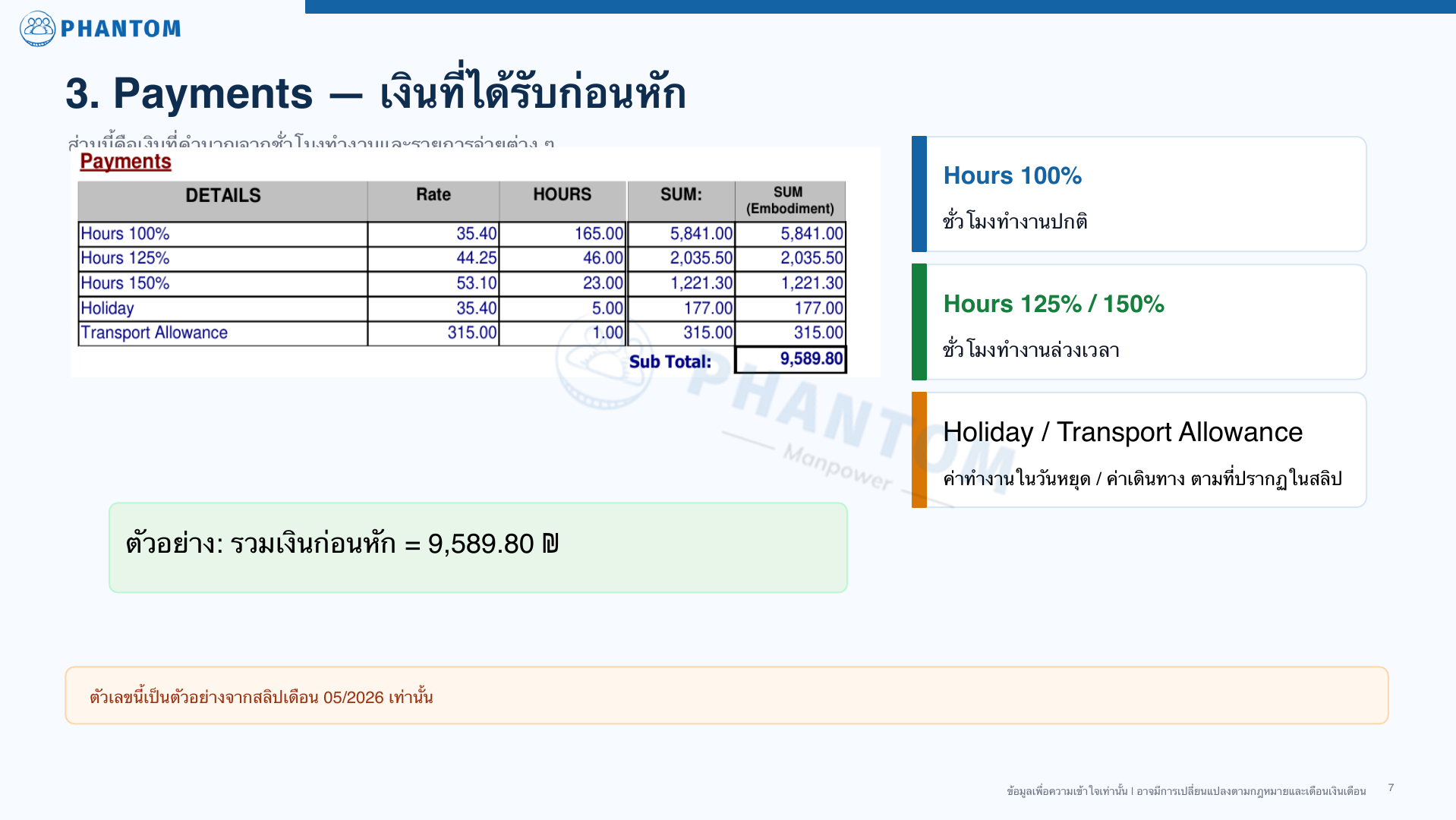
This section calculates your hours and different payment items.
Regular work hours calculated at the regular rate.
Overtime hours may appear on separate lines.
Holiday work or transportation appears when there is entitlement for that month.
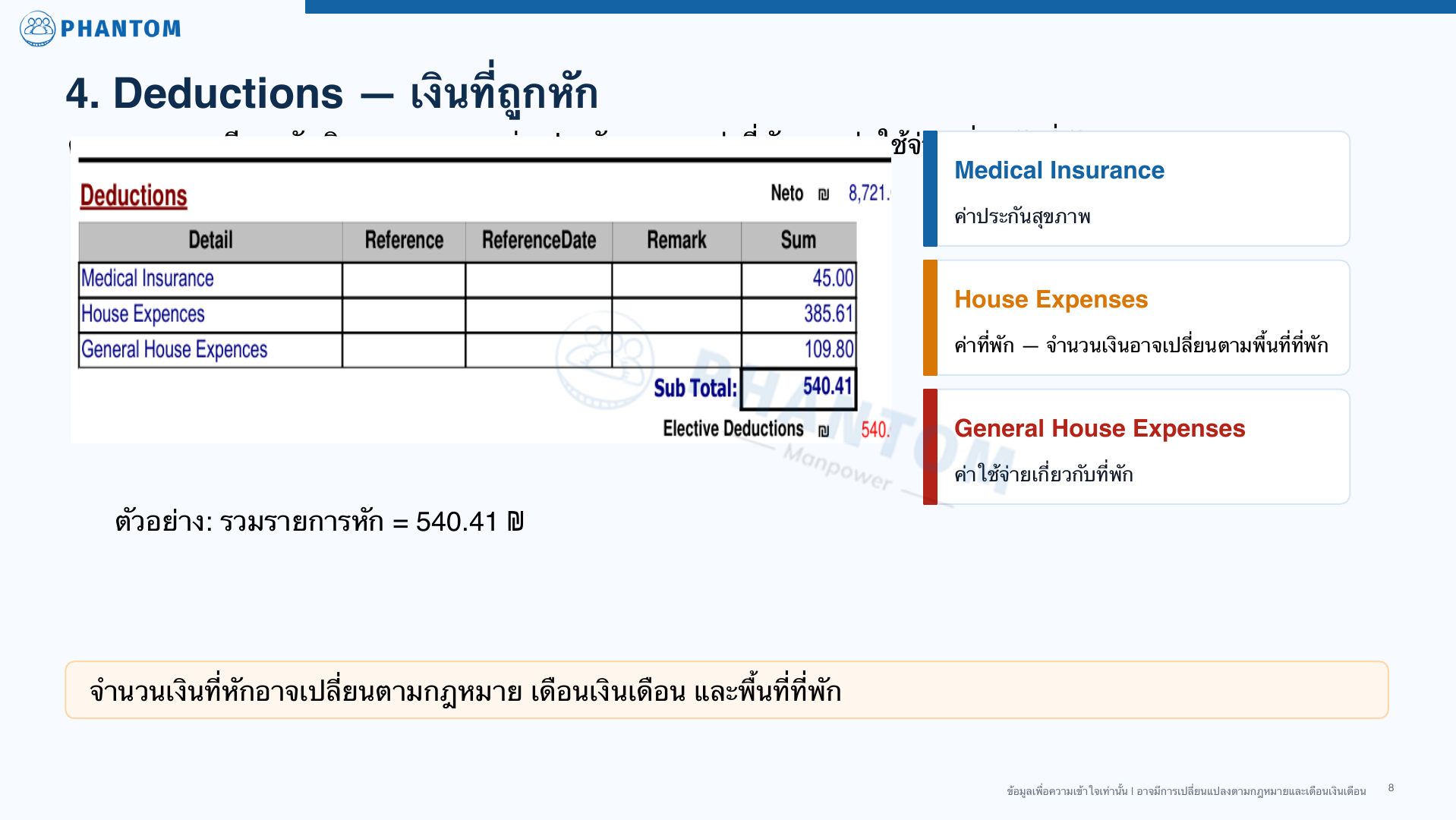
Deductions may change by law, pay month, housing area and personal details.
Medical insurance.
Housing cost. The amount may change by housing area.
Housing-related expenses or related items as shown on the payslip.
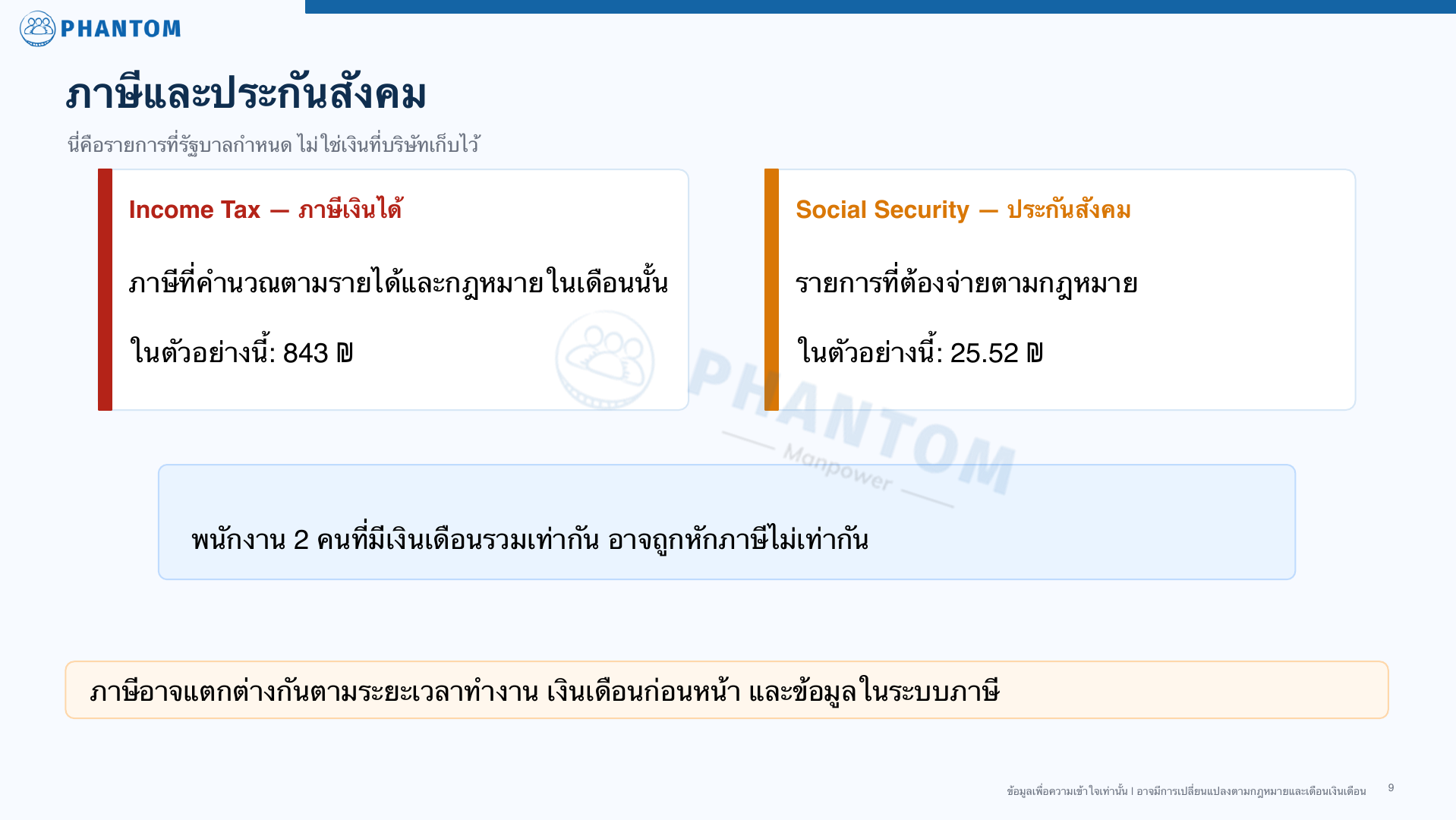
Income tax calculated by income and law for that month.
Social security is a legal payment, not money the company keeps for itself.
These items are set by law and by the month’s data. Phantom does not keep these amounts for itself.
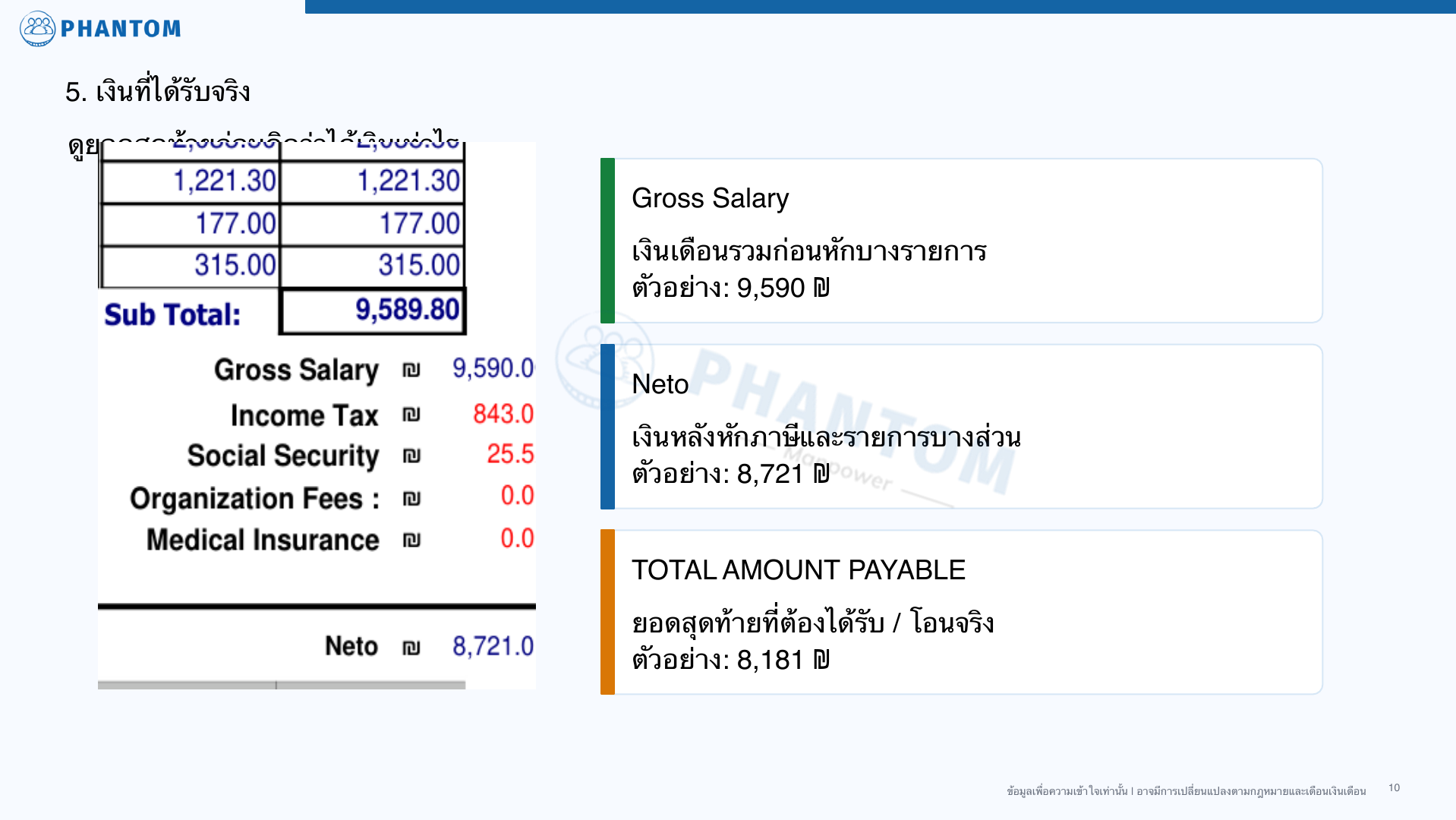
Tax calculated by income and law for that month. In the 05/2026 example: 843 ₪.
A mandatory legal payment. In the 05/2026 example: 25.52 ₪.
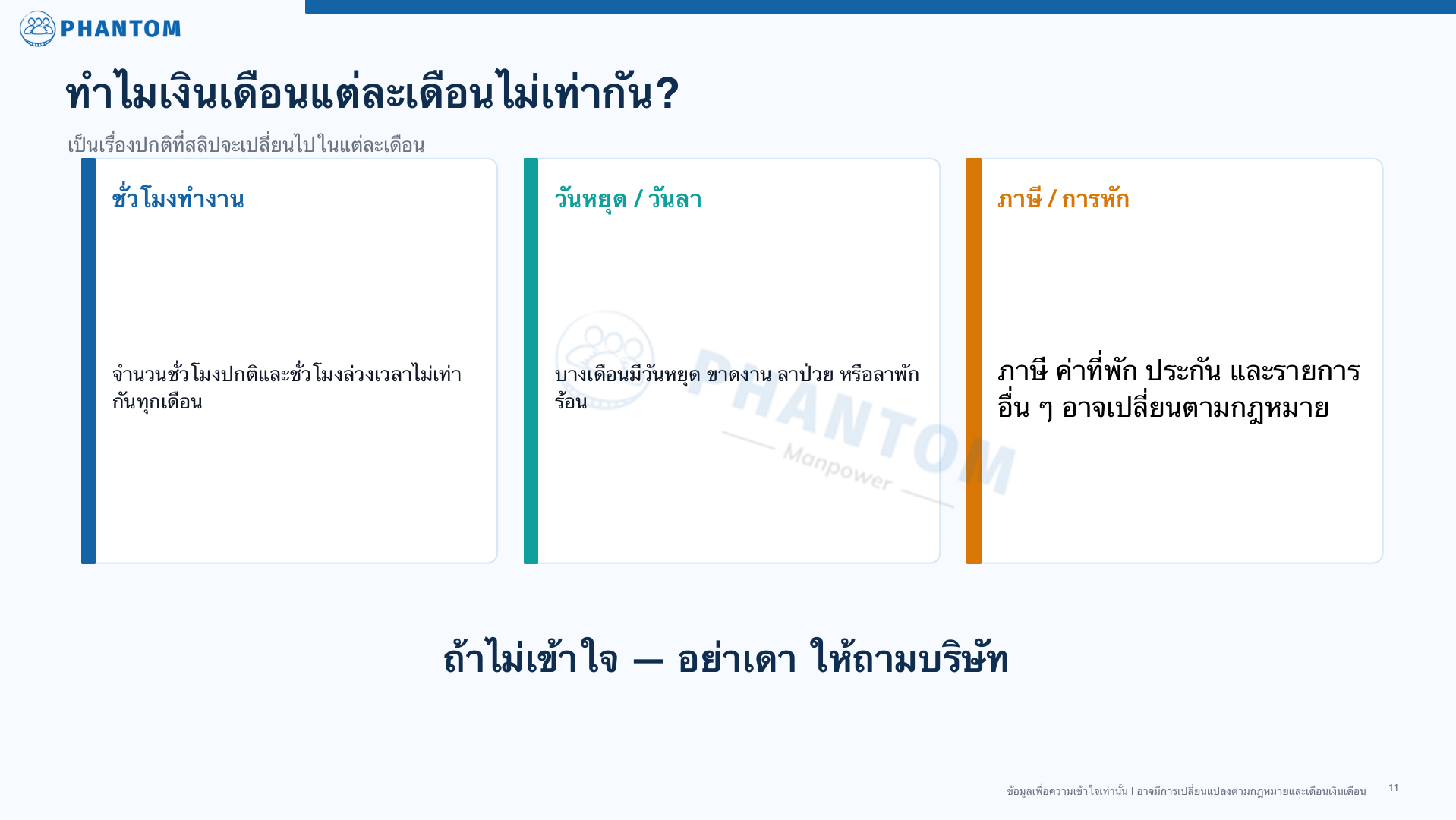
Two workers with similar gross pay may pay different tax because of work duration, previous salary and details in the tax system.
Check the final amount before deciding how much money you received.
Total salary before some deductions. Example from 05/2026.
Pay after tax and some deductions. Example amount.
Final amount payable or transferred in the example.
Last updated: July 2026
Message the Phantom team and explain what you want us to help check.
Contact Phantom on WhatsApp